Introduction
A flexible, high-performance node-based flow editor for Flutter applications




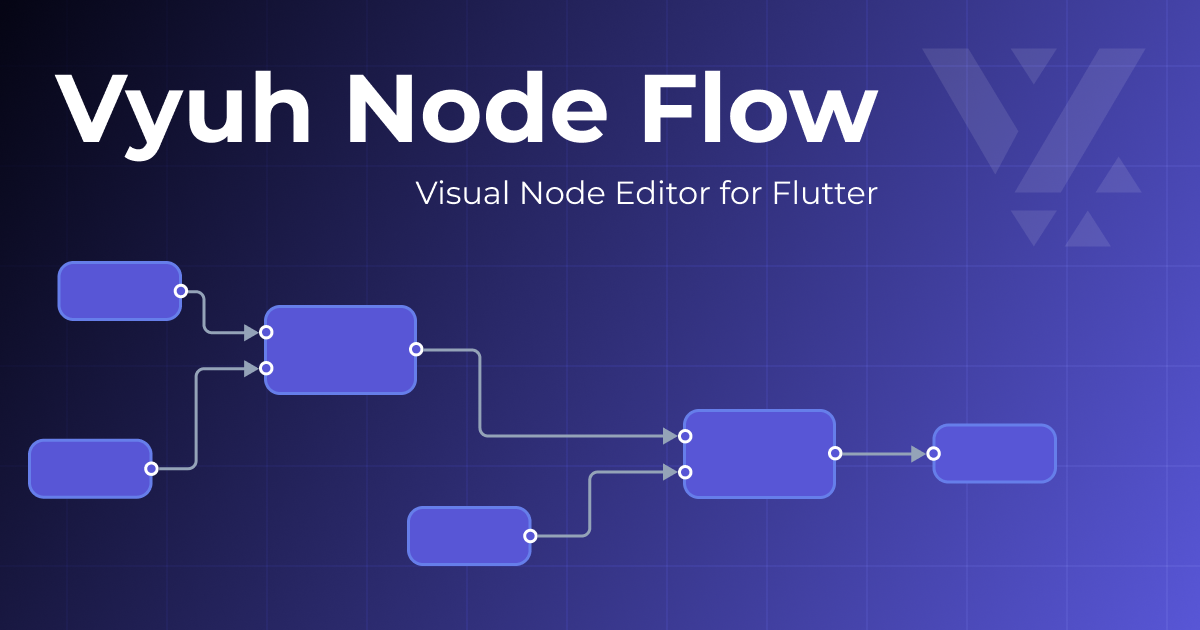
Vyuh Node Flow is a flexible, high-performance node-based flow editor for Flutter applications, inspired by React Flow. It's great for building visual programming interfaces, workflow editors, interactive diagrams, and data pipelines.
Try the Live Demo
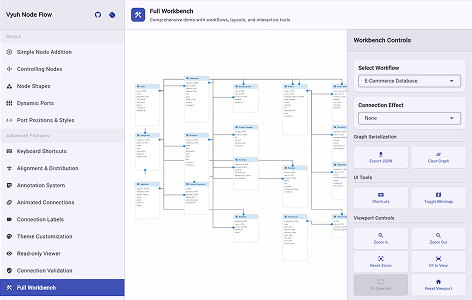
Experience Vyuh Node Flow in action! The live demo showcases all key features including node creation, drag-and-drop connections, custom theming, annotations, minimap, and more.
Launch Demo
Try creating nodes, connecting them, exploring themes, and all interactive features!
Key Features
High Performance
Reactive, optimized rendering for smooth interactions on an infinite canvas
Type-Safe Node Data
Generic type support for strongly-typed node data with excellent pattern matching capabilities using sealed classes
Fully Customizable
Comprehensive theming system for nodes, connections, ports and backgrounds. Style everything to match your brand
Flexible Ports
Multiple port shapes (circle, square, diamond, triangle, capsule, none) with customizable positions, offsets, and multi-connection support. Full connection validation capabilities. Create custom port shapes by extending the base class.
Connection Animation Effects
Built-in effects including FlowingDash (marching ants), Particle (moving dots), GradientFlow (smooth colors), and Pulse (breathing). Create custom effects by extending the base class.
Connection Styles
Multiple connection path styles: bezier curves for smooth flows, step & smoothstep for clean right angles, straight lines for direct paths. Create custom connection paths by extending the base class.
Annotations
Add sticky notes, labels, and custom overlays to enhance your flow diagrams with contextual information
Built-in Minimap
Navigate complex flows with ease using the interactive minimap that shows your entire canvas at a glance
Keyboard Shortcuts
Full keyboard support for power users with customizable shortcuts for common operations
Read-Only Viewer
Display flows without editing capabilities - perfect for presentations and documentation
Serialization
Save and load flows from JSON with type-safe deserialization for persisting your work
Grid Styles
Choose from lines, dots, cross, hierarchical (major/minor), or no grid. Configurable size, color, and snap-to-grid functionality for precise alignment. Create custom grid styles by extending the base class.
Interactive Features
Full interaction support: drag nodes, create connections, pan canvas, zoom (wheel/pinch), multi-select, delete, fit to view, and more
Visual Gallery
Perfect For Building
Vyuh Node Flow is ideal for developers creating:
Data Pipeline Builders
Create visual ETL (Extract, Transform, Load) tools and data processing workflows
Workflow Automation
Build no-code/low-code workflow editors for business process automation
State Machines
Design visual state machine editors for game logic and application flows
Decision Trees
Implement interactive decision tree builders for AI and business logic
System Architecture
Visualize system architecture, microservices, and dependencies
Mind Mapping
Build interactive mind mapping and brainstorming applications
Process Diagrams
Create BPMN-style business process modeling tools
Circuit Designers
Design electronic circuits, network topologies, and component connections
Quick Preview
Here's what a minimal node flow editor looks like:
import 'package:flutter/material.dart';
import 'package:vyuh_node_flow/vyuh_node_flow.dart';

class SimpleFlowEditor extends StatefulWidget {
  @override
  State<SimpleFlowEditor> createState() => _SimpleFlowEditorState();
}

class _SimpleFlowEditorState extends State<SimpleFlowEditor> {
  late final NodeFlowController<String> controller;

  @override
  void initState() {
    super.initState();

    // 1. Create the controller
    controller = NodeFlowController<String>();

    // 2. Add some nodes
    controller.addNode(Node<String>(
      id: 'node-1',
      type: 'input',
      position: const Offset(100, 100),
      data: 'Input Node',
      outputPorts: const [Port(id: 'out', name: 'Output')],
    ));

    controller.addNode(Node<String>(
      id: 'node-2',
      type: 'output',
      position: const Offset(400, 100),
      data: 'Output Node',
      inputPorts: const [Port(id: 'in', name: 'Input')],
    ));
  }

  @override
  Widget build(BuildContext context) {
    return Scaffold(
      body: NodeFlowEditor<String>(
        controller: controller,
        theme: NodeFlowTheme.light,
        nodeBuilder: (context, node) => Container(
          padding: const EdgeInsets.all(16),
          child: Text(node.data),
        ),
      ),
    );
  }
}
Just a few lines of code and you have a fully functional, interactive node-based editor!
Platform Support
Works seamlessly across all Flutter platforms:
| Platform | Status | Notes |
|---|---|---|
| Web | Excellent | Recommended for desktop-like experiences |
| macOS | Excellent | Full keyboard and mouse support |
| Windows | Excellent | Full keyboard and mouse support |
| Linux | Good | Community tested |
| iOS | Good | Touch interactions optimized |
| Android | Good | Touch interactions optimized |
Best Experience: Web and desktop platforms provide the most intuitive experience due to precise mouse/trackpad input and full keyboard shortcut support.
Next Steps
Ready to dive in? Start with the installation guide to set up Vyuh Node Flow in your project:
Installation
Get up and running in 5 minutes
Quick Start
Build your first flow editor
Core Concepts
Understand the fundamentals
Examples
Learn from real-world examples
Made with love by the Vyuh Team | Inspired by React Flow